Please make the Map OR the compass less insane
• Build Version: 19629
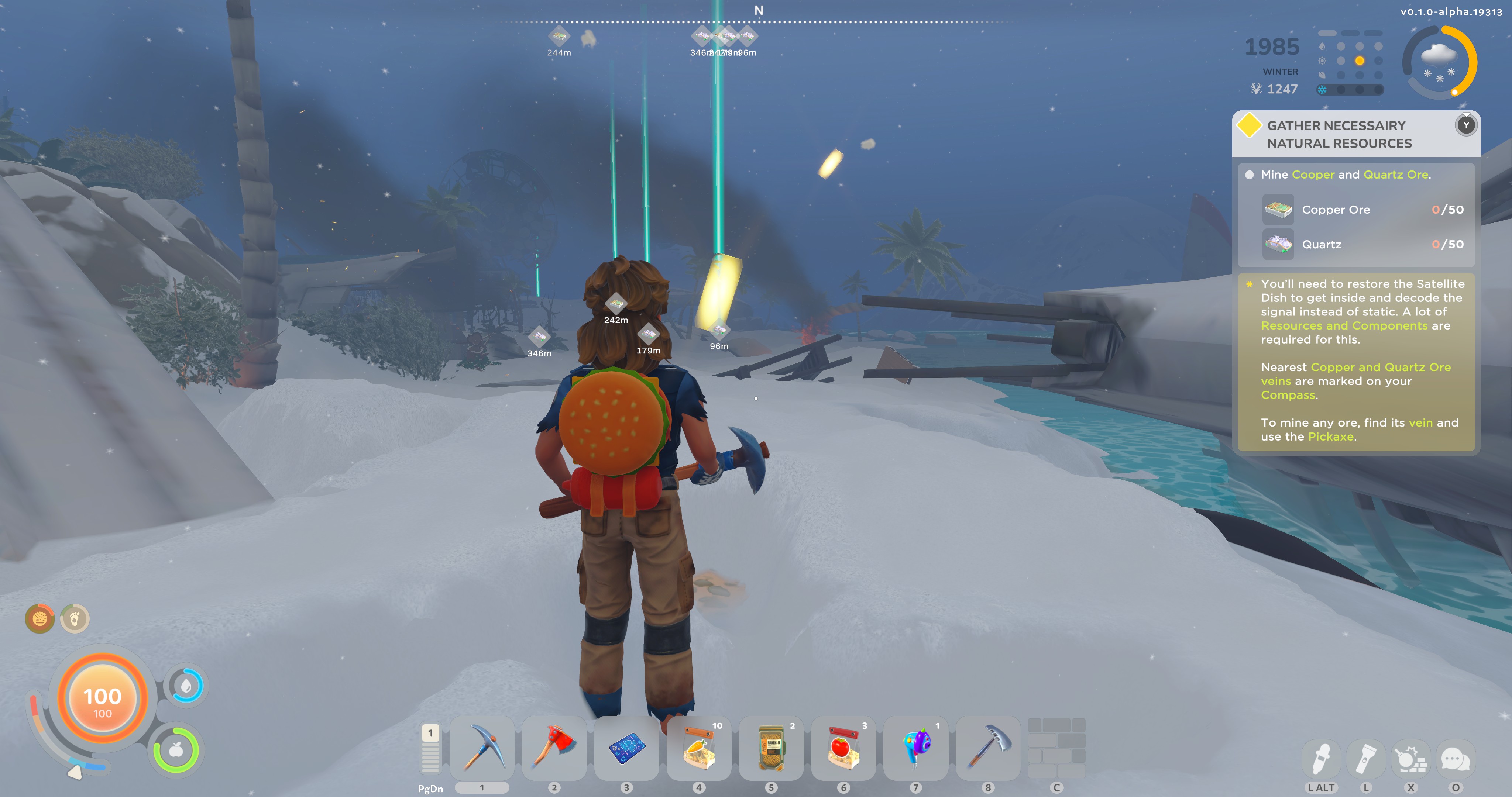
• Description: Map orientation in game does not match compass headings. Attached is a screen shot of looking almost dead NORTH from the crash site, according to the compass.
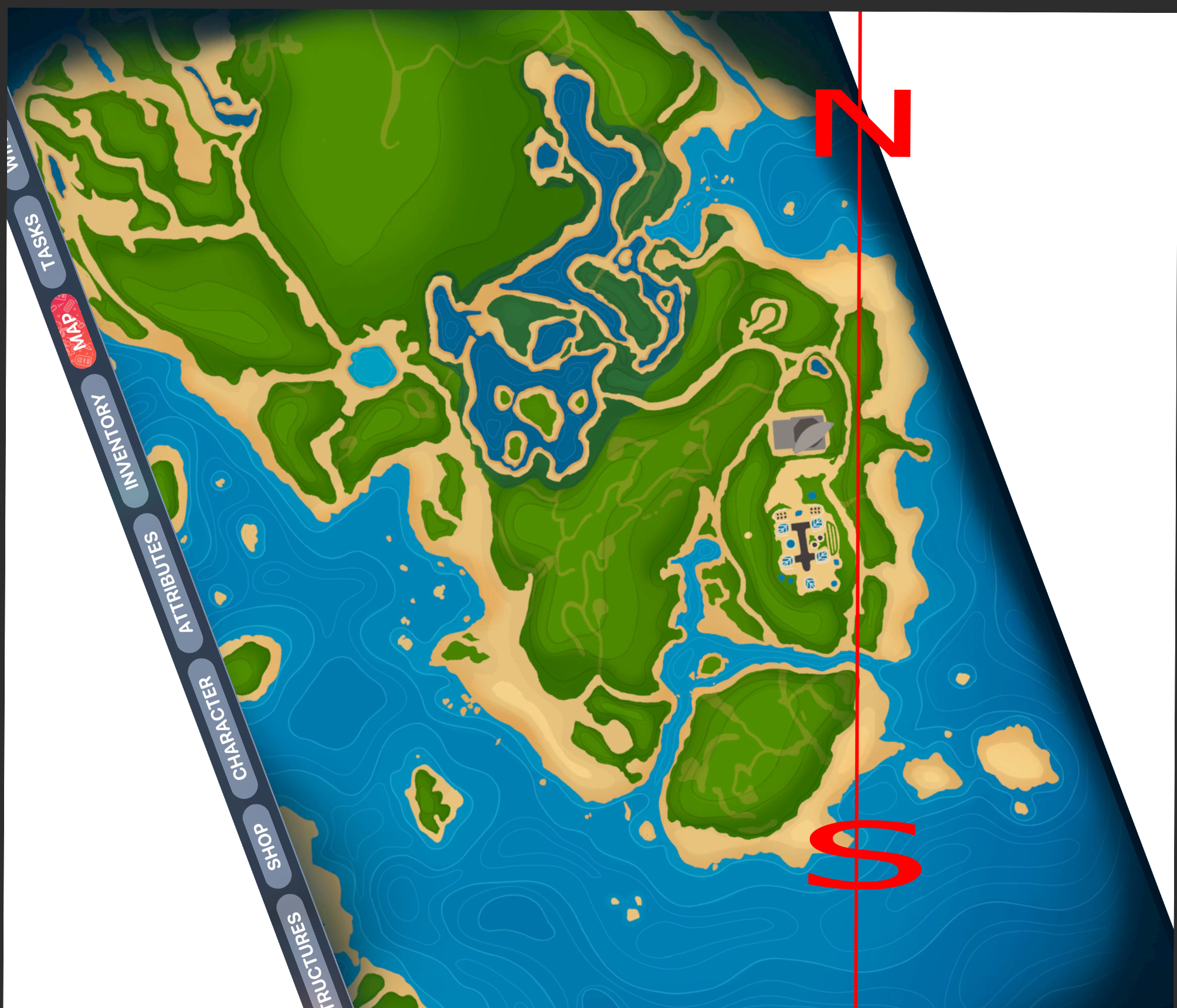
ALSO attached is what the actual North/South bearing is on this map based on the compass.
• Reproduction Steps:
1. Look North on Compass
2. Pull Up map and see you are not facing what north should be.
• Reproduction Rate: 5/5
• Expected Behavior: Map and Compass are orientated the same direction
• Attachments:
 20251204162033_1_gibdyp.jpg
 Screenshot_2025-12-04_165417_u6gvwd.png
Comments: 7
Oldest
•
Newest
•
Most likes
•
Fewest likes
-
15 Dec, '25
Opa Admin PinnedMap rotation error due to the size of the map, because it's a 16:9 map image it wouldn't fit placed horizontally that's why this problem occurs, rotate compass / ingame Map for fix.
-
04 Dec, '25
Anoobis MergedAs far as I can tell the compass north does not match with the north of the map. It seems that they are inverted. North is South and South is north
-
05 Dec, '25
Favourite4everIf you consider top of the map north (which you should with no other bearings, it is actually more West. Could you possibly just turn the map so the top is north to help. I tried using beds as markers because so far it appears to be the only thing i can place that appears on my compass, but I can only have one bed active.
-
05 Dec, '25
Opa System"Compass/Map inverted" (suggested by <Hidden> on 2025-12-04), including upvotes (1) and comments (0), was merged into this suggestion.
-
07 Dec, '25
ParkayButter MergedWhen trying to navigate on the map without an indicator of where my character is, I noticed that East and West appear to be flipped. North and South however appear to be fine.
-
09 Dec, '25
Opa System"Compass Appears to be Flipped" (suggested by <Hidden> on 2025-12-07), including upvotes (1) and comments (0), was merged into this suggestion.
-
11 Dec, '25
EtchaviousI'd like to add a confirmation to this as well. The screenshot rotation on the map provided by OP seems right. You can also confirm this by comparing the direction of the satellite dish. On the in-game map, it's showing a SW directional facing; however, using the compass in-game, which aligns with the image uploaded, the dish faces SSE/SE.