Storage Keybinds / Hotkeys not working
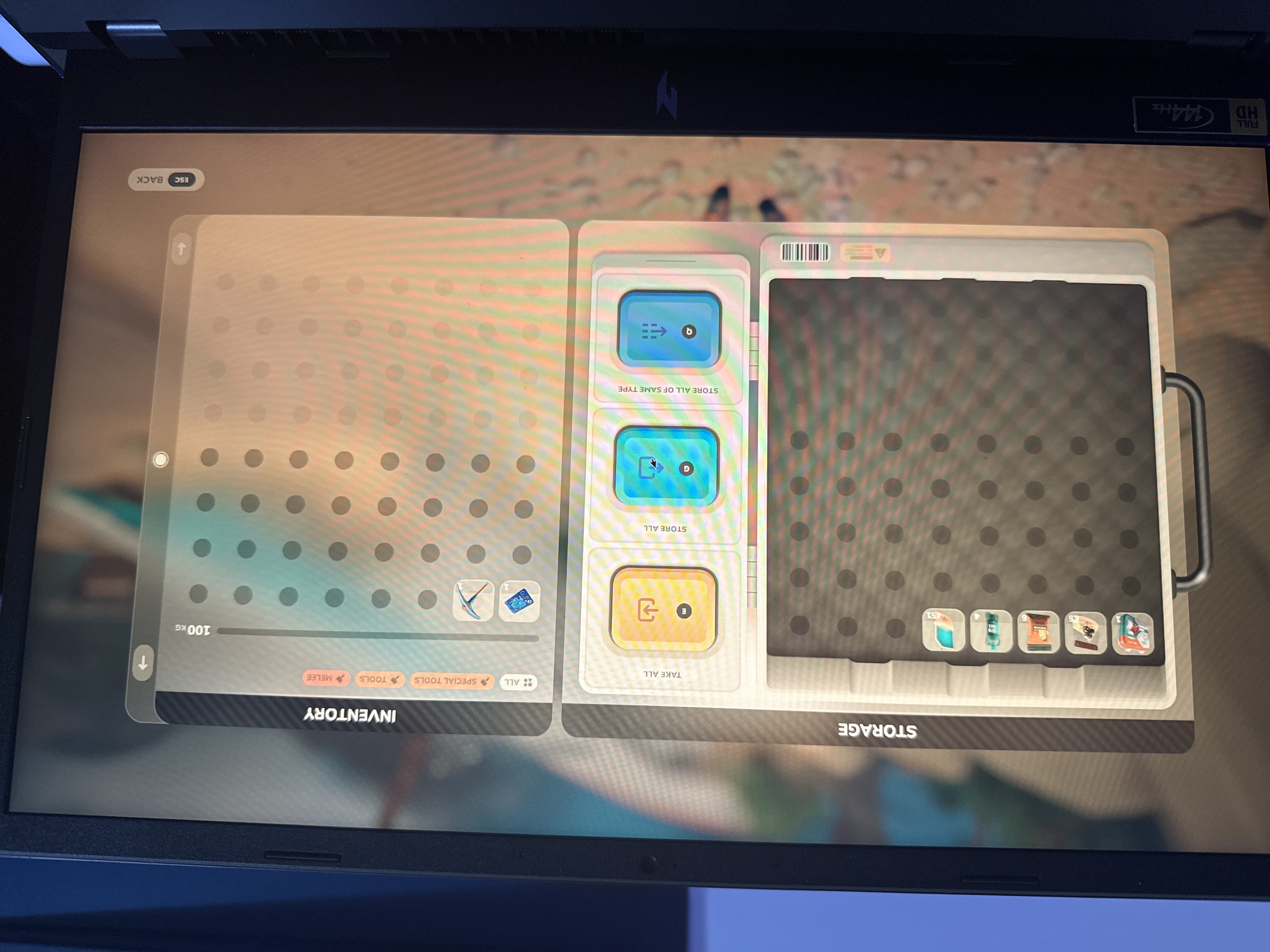
I’m not sure if this was already reported but in the tutorial when opening up the emergency supply I cannot take or store any of the items to continue with the key binds. I can click it with my mouse but the key binds do not work.
 image_fot87b.jpg
Comments: 7
Oldest
•
Newest
•
Most likes
•
Fewest likes
-
04 Dec, '25
Oid MergedButtons on items like the chest do not work with the suggested keys on-screen. The user has to click the button to get the functionality. This leads to confusing gameplay.
-
05 Dec, '25
Opa System"Buttons Don't Work" (suggested by <Hidden> on 2025-12-04), including upvotes (1) and comments (0), was merged into this suggestion.
-
06 Dec, '25
SkyRaptorian MergedI am unable to use the marked E (Take All), G (Store All), or Q (Store all of same type), keys. In order to use those features I have to use the mouse to click on the button.
To recreate:
- Start a new game.
- Follow tutorial quests up to opening the emergency crate.
- Attempt to use the keyboard prompts rather then buttons on screen. -
07 Dec, '25
Opa System"Cannot use keyboard to move items from Storage" (suggested by <Hidden> on 2025-12-06), including upvotes (1) and comments (0), was merged into this suggestion.
-
26 Jan
AsherMaximum MergedPressing 'Q' does not transfer items that are already in the storage to it. The button on the interface does though.
-
29 Jan
James System"'Q' hotkey does not work for transferring to storage" (suggested by <Hidden> on 2026-01-26), including upvotes (1) and comments (0), was merged into this suggestion.